
JPG vs PNG vs WebP: Which Format Should You Use?
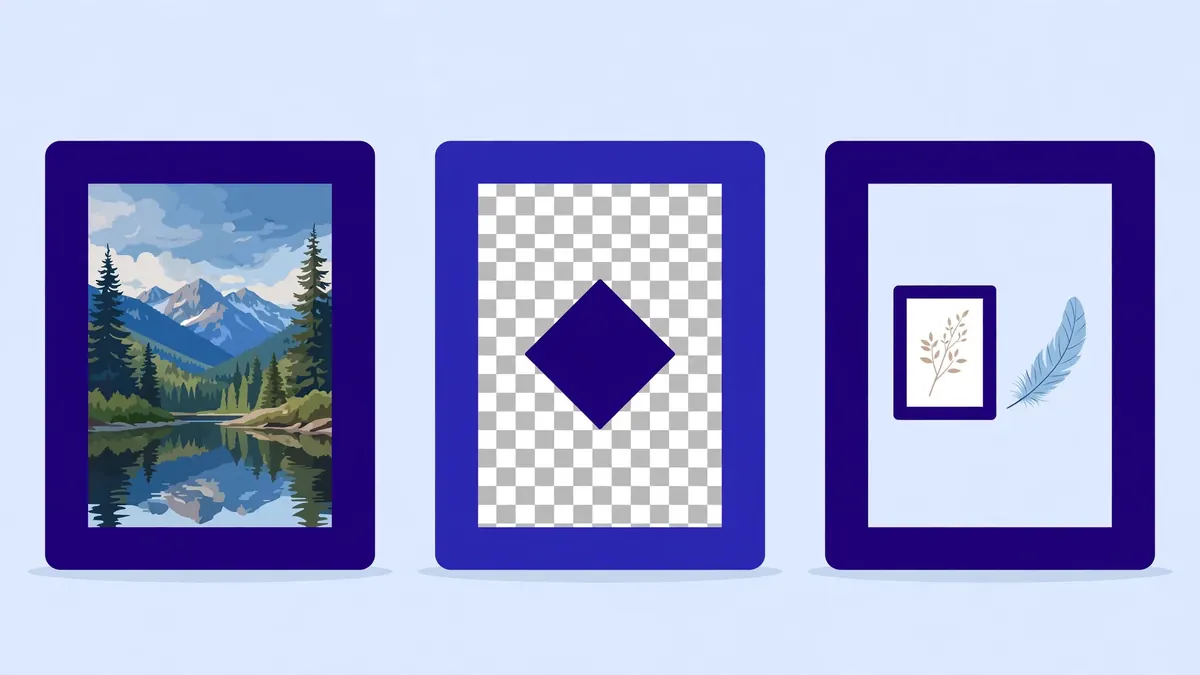
Each of these three formats stores the same picture in a different way, and the right choice depends on the job in front of you. JPG suits photographs you share. PNG suits graphics, screenshots and anything that needs a transparent background. WebP suits pictures that live on web pages, where a smaller file helps the page load. The sections below explain why, format by format.
The choice matters because the wrong format costs you something real. A photo saved as PNG can swell to many times the size it needed to be, and a logo saved as JPG picks up fuzzy edges around every letter.
How each format stores a picture
The differences start with compression, which is how a format packs the pixels of a picture into a file. Each of these three packs them a different way, and that one decision explains almost everything else about them.
JPG: lossy, small, everywhere
JPG compresses with loss. It studies the picture and sets aside detail the eye is unlikely to miss, mostly in areas where colour changes gradually. The result is a small file that still looks like the photo. The cost is permanent: detail the encoder sets aside never comes back, and saving the file as JPG again repeats the process and sheds a little more each time. JPG also holds no transparency. A see through area in the original becomes a solid colour, usually white.
PNG: lossless, exact, heavy
PNG compresses without loss. Every pixel in the file is the pixel you started with, and saving it ten times changes nothing. PNG also holds transparency, so a logo can sit on any background with its edges clean. The price is size. A photograph holds millions of pixels that differ slightly from their neighbours, and keeping all of them exactly makes a heavy file. Most converters that write JPG offer a quality setting, and the image converters on this site are no exception. A high setting keeps more detail and writes a bigger file. A low setting writes a small file and lets flat areas of colour show banding first.
WebP: the modern middle
WebP is the newest of the three, built by Google for the web. It offers lossy and lossless compression, holds transparency, and usually produces a smaller file than JPG for the same picture at a similar quality. Every current browser displays it. The gap is older software: some older editors, apps and upload forms still refuse the format outright.
Where each format wins
Photographs belong in JPG, or in WebP when they head for a web page. A photo has no sharp edges to protect and no transparency to keep, so the lossy trade costs almost nothing a viewer can see, and the small file sends, stores and loads easily.
Screenshots and pictures with text belong in PNG. Text is nothing but sharp edges, and JPG smears exactly those edges, leaving a halo of stray pixels around the letters. PNG keeps the edges exact. A screenshot is also mostly flat colour, which PNG compresses well, so the file stays reasonable.
Logos and graphics belong in PNG or WebP. They need transparency when they sit on coloured backgrounds, and they carry the same sharp edges as text. Between the two, WebP usually makes the smaller file for a website, while PNG is the safer pick when the graphic heads for an editor or a document.
Websites lean on WebP for most pictures. Smaller images load faster, and browsers all speak the format now. JPG remains the fallback for the odd form or older tool that turns WebP away.
Where each format fails
JPG fails anywhere you need transparency, and anywhere you will save a picture again and again, because each save takes another small bite out of it. It also fails on line art and text, where its compression shows as dirt around the edges.
PNG fails on size. A photo library kept as PNG takes several times the space of the same library as JPG, with no visible gain on screen. Email systems and upload forms with size caps turn PNG photos away as well. Saving a photo as PNG to protect its quality is a common mistake. PNG protects the pixels you hand it, and a JPG photo has already lost what it lost before PNG ever saw it.
WebP fails on support at the edges. Most of the modern world accepts it, and then one older app, one office tool or one upload form refuses it, and the file has to become a JPG or PNG anyway. Converting a JPG to WebP also cannot restore detail the JPG already threw away. It can only store what remains, in a smaller file.
A simple way to decide
Ask three questions about the picture in front of you.
- Does it need a transparent background? Then PNG for editors and documents, or WebP for web pages. JPG is out of the running.
- Is it a photograph headed for people or for a website? JPG to share it, WebP to publish it.
- Does it contain text, a logo or sharp edges you care about? PNG, because it keeps edges exact.
Three quick examples settle most real cases. A holiday photo you want to send to family: JPG, because everyone can open it and the file stays small. A screenshot of an error message you want to send to a support desk: PNG, because the words in it must stay readable. A logo for the header of a website: WebP if the site accepts it, PNG if it does not, because the logo needs its transparent background and its clean edges on any screen.
One practical rule follows from all of this. Convert from the richest file you have. A PNG can become a JPG or a WebP and lose only what that step sets aside, while a JPG that turns into a PNG gains nothing and grows. Work from the original photo or the original graphic whenever you change formats, keep that original somewhere safe, and let every copy you publish or send descend from it.
When you need to change a picture from one of these formats to another, the converters are a step away. The JPG converter, the PNG converter and the WebP converter each cover their format in full, and the image converter gathers all of them on one page.
Frequently Asked Questions
Which format makes the smallest photo file?
WebP usually comes out smallest for a photograph at a similar quality, with JPG close behind. PNG comes last by a wide margin, because it keeps every pixel exactly, and a photo has millions of them.
Which formats keep a transparent background?
PNG and WebP both hold transparency. JPG does not support it at all, so a transparent area becomes a solid colour, usually white, when you save a picture as JPG.
Does converting a JPG to PNG improve its quality?
The picture stays the same, only bigger. PNG keeps every pixel you hand it, and the pixels in a JPG have already had detail set aside by JPG compression. The PNG version is a bigger file holding the same picture, damage included.
Which format should I use on my website?
WebP for most pictures, because every current browser shows it and the files stay small. Keep JPG for older tools and upload forms, since JPG opens everywhere.